
A starting point for ops shell scripts
A Bash library plus a project generator and a CLI framework, with explicit constraints.
stdout is for data only
Logs always go to stderr, so $(...) never picks up an [INFO] line.
Output via printf -v
No nameref in 3.2; this is the only reliable return channel.
Baseline is 3.2, not 5.x
The macOS /bin/bash is 3.2.57. Associative arrays and nameref are banned.
Exit codes are an interface
0 through 5 each mean one thing; callers decide on retry from them.
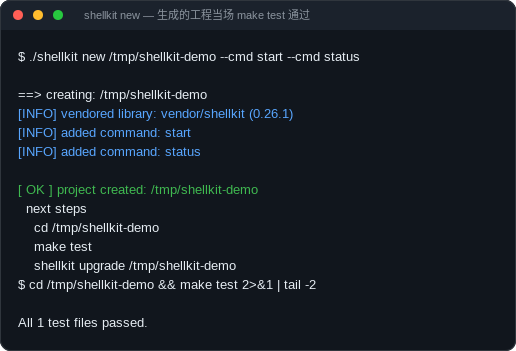
Generate a project in one command
shellkit new ships a vendored library and tests; make test passes immediately.
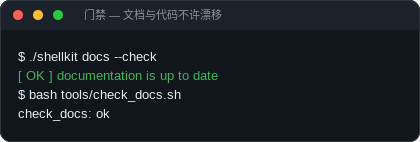
The AI contract is generated too
Banned syntax and the task map are assembled from a single source of truth.
How the three pieces fit together
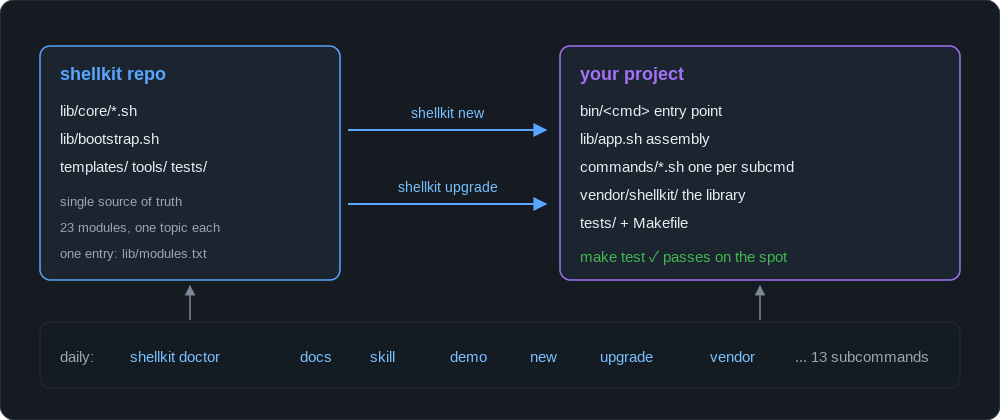
Full signatures and exit codes: API reference.
Install in one command
curl -fsSL https://github.com/yi-nology/shellkit/releases/latest/download/install.sh | bash
Installs to /usr/local, falling back to ~/.local when not writable. Pin a version or change the prefix:
curl -fsSL https://github.com/yi-nology/shellkit/releases/latest/download/install.sh | PREFIX="$HOME/.local" bash
curl -fsSL https://github.com/yi-nology/shellkit/releases/latest/download/install.sh | VERSION=1.8.0 bash
Current version Download 1.8.0. If the sha256 does not match it exits 5 and writes nothing.
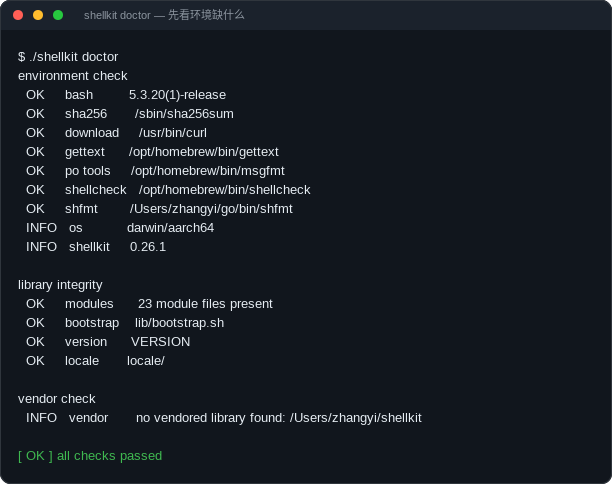
Real terminal output
Every image below was produced by running real commands: each $ line in docs/shots/*.shot is executed and rendered as SVG.
Five hard rules
Each one has a concrete consequence, not a style preference:
- stdout carries data only, logs go to stderr. Otherwise
$(...)picks up[INFO]and the caller gets a dirty value. - Output through
printf -v; never mutate caller variables. Bash 3.2 has no nameref. - Precedence: explicit argument > environment > config file > default. Implemented once, in
conf_get_any. - Every write is atomic. Temp file plus
mv -f; an interrupted run never leaves half a file. - The library never changes your shell options or your cwd.
set -euo pipefailbelongs to your entry script.
Read more in Conventions and Bash 3.2.
Where to go next
| Your situation | Start here |
|---|---|
| Decide in five minutes whether this is worth it | Quick start |
| Scripts already run in production | Five-step migration |
| Will upgrading break my scripts? | Compatibility policy |
| A concrete task: config, downloads, retries, locking | Cookbook |
| Exact signature and exit code | API reference |
| Let an AI write the script | For AI |
| See a complete project | Examples |